 Vocue
VocueHear how you sound before everyone else does
Vocue floats over your meetings and coaches you as you speak — pace, filler words and tone, in real time. Then a short report tells you the three things to fix.
Free plan, no card needed · Windows 10 and 11 · macOS coming later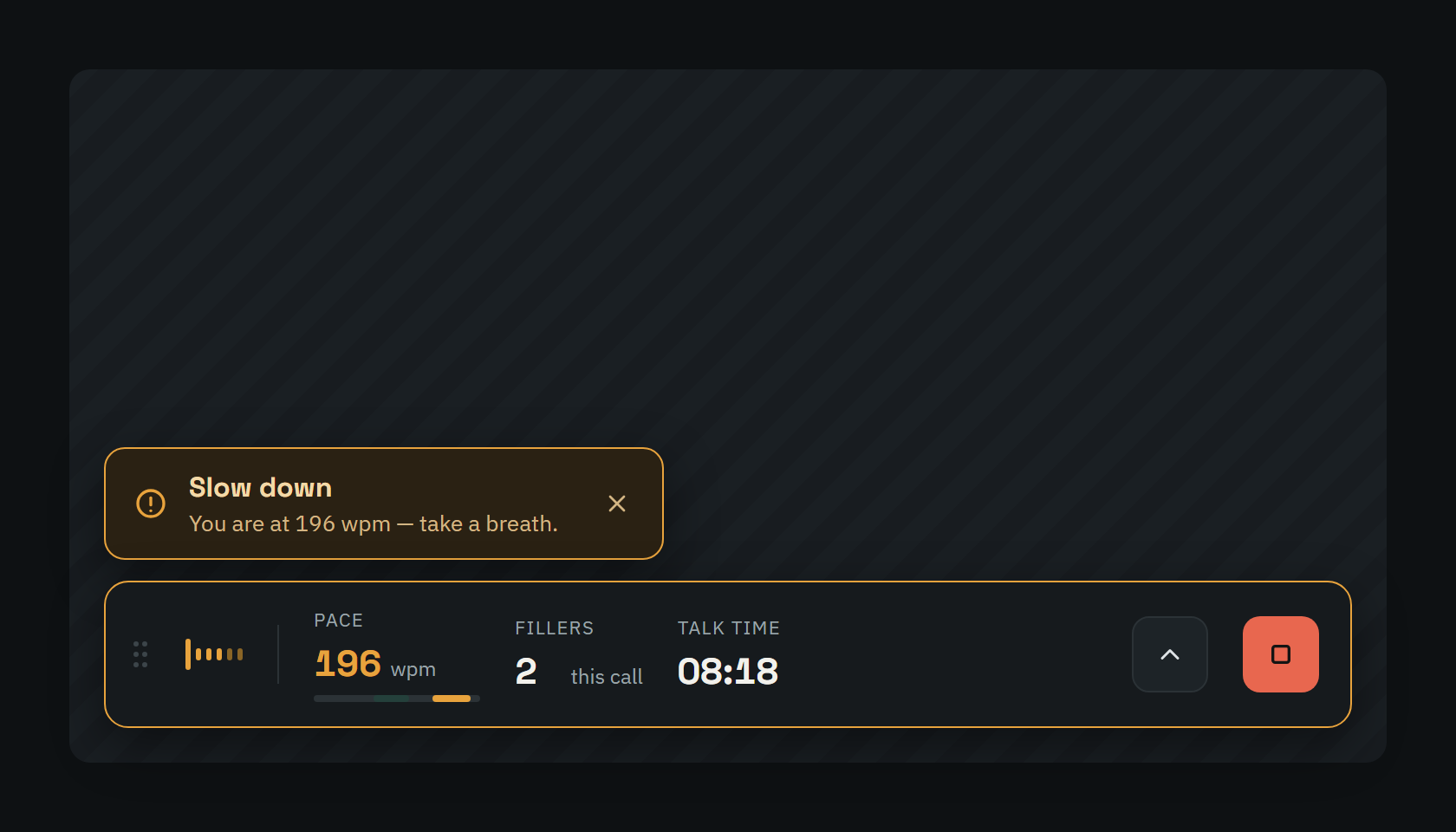
You are the only person in the meeting who can't hear you
You speed up when nervous
And the one point you needed to land is the one nobody followed.
Nobody counts your "ums" out loud
They just quietly decide how prepared you sounded.
Feedback comes too late
A speaking coach is expensive and sees you once a month. Your next meeting is in a few hours.
A quiet cue, exactly when you need it
Vocue sits below your meeting window and nudges you only when it matters — "slow down", "pause instead of um", "you've been talking for four minutes". You choose which nudges you get and how often.
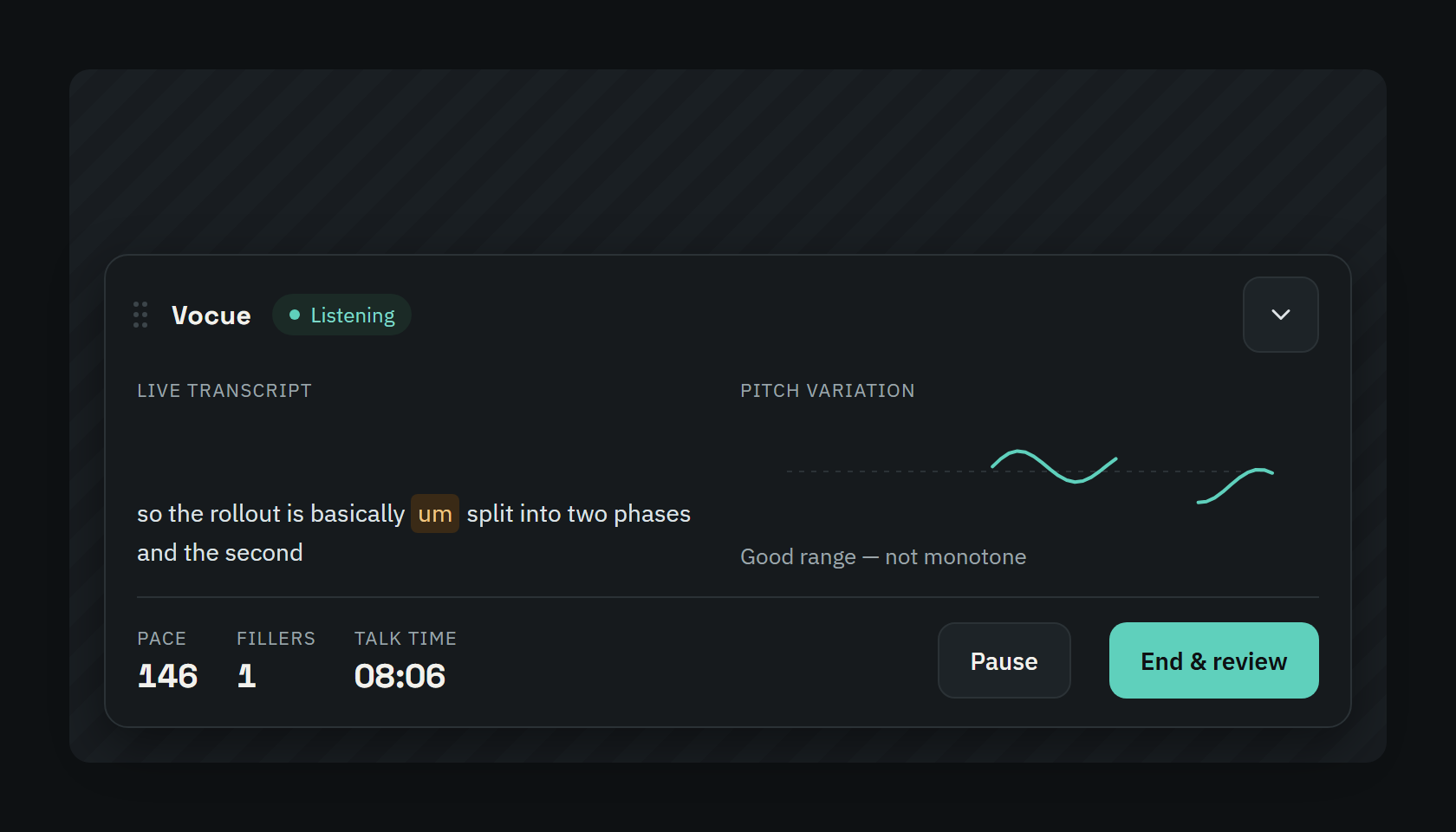
Three things to fix, not thirty numbers
A score, your pace and fillers, and specific advice — "20 of your 20 fillers came right after a pause". Every tip links to the exact moment in the recording, so you hear what it means.
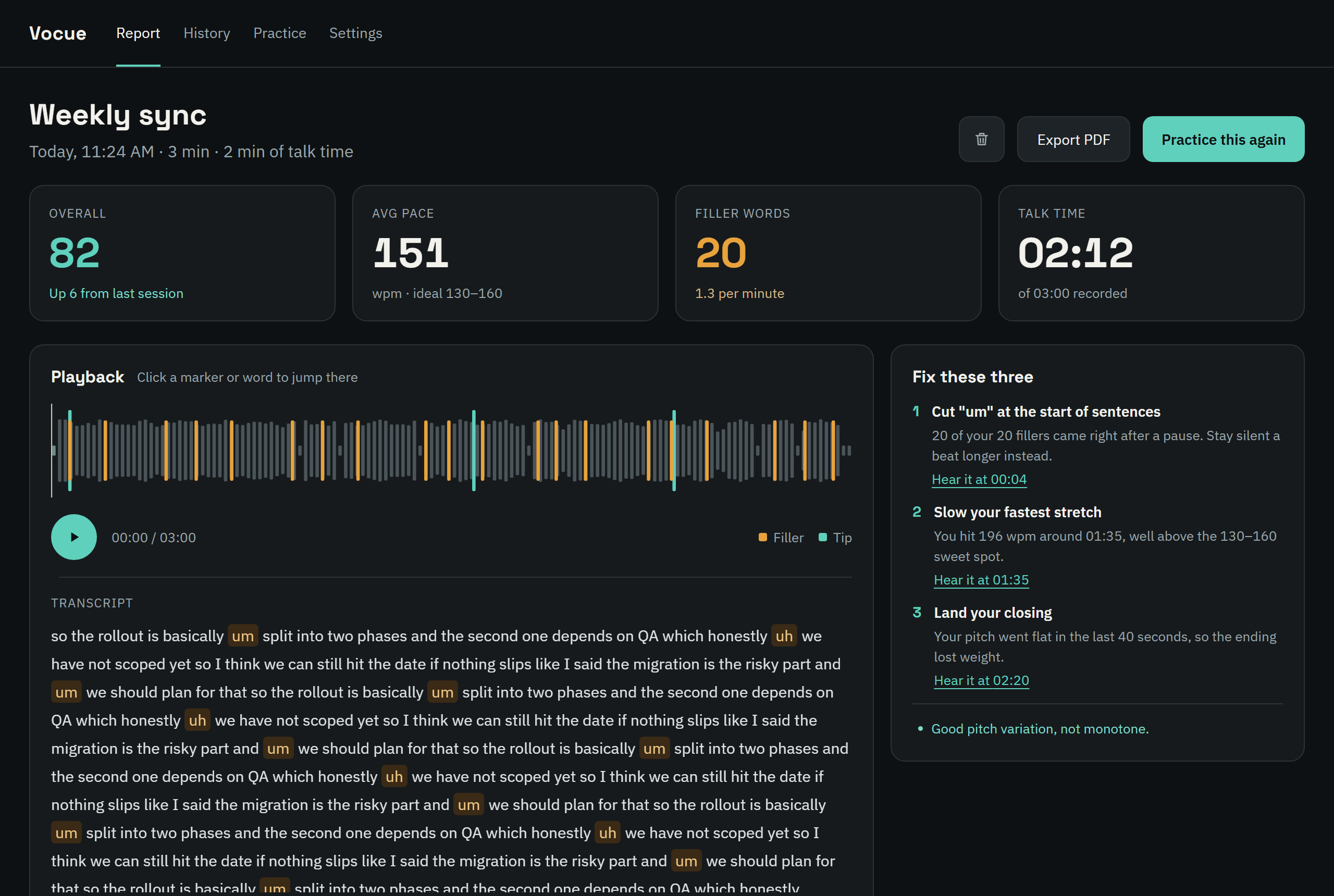
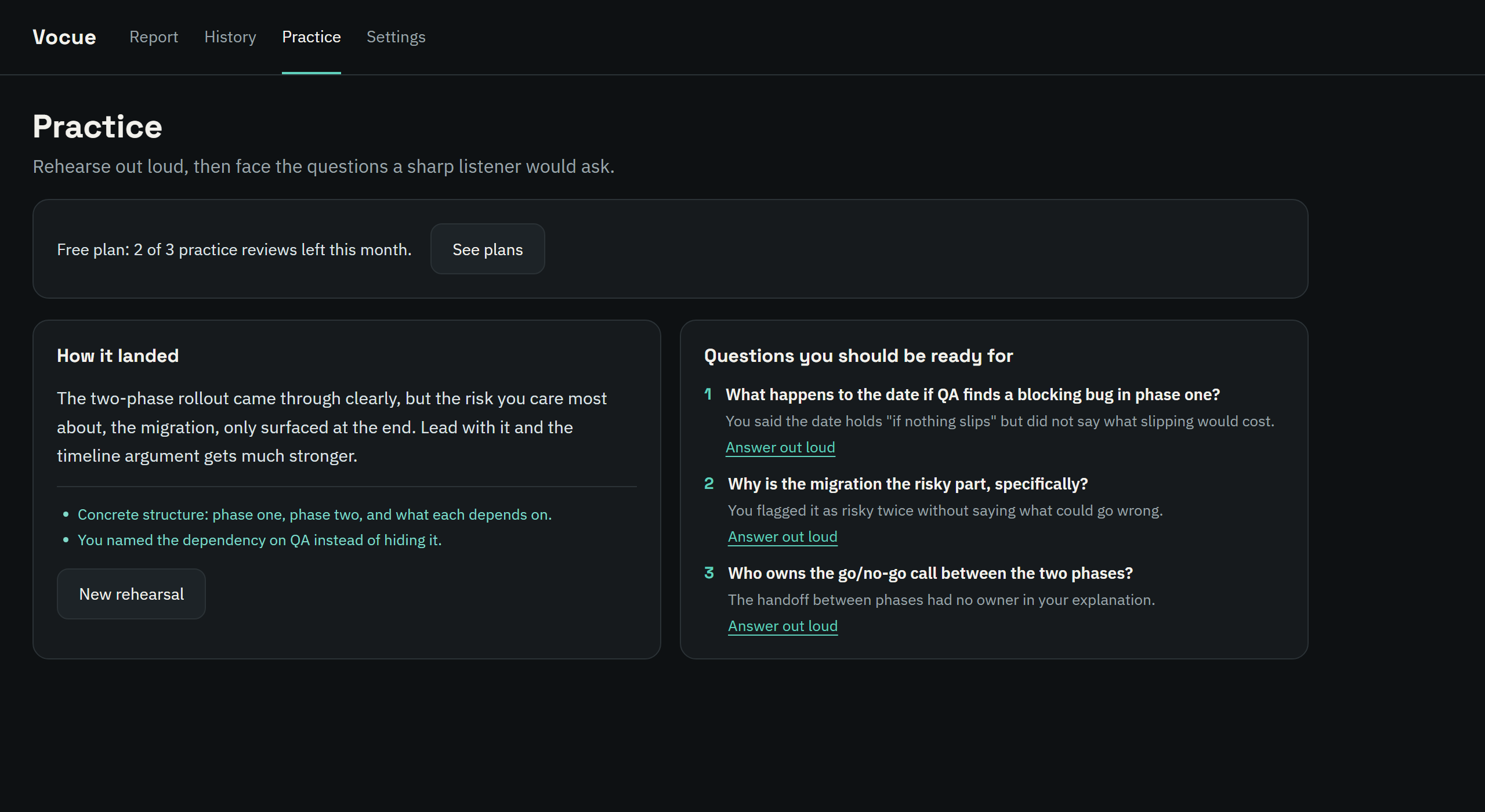
Rehearse against an audience that asks back
Run through your talk or interview answer out loud, then face the follow-up questions a sharp listener would ask — drawn from what you actually said. Answer them out loud and get a verdict and a stronger outline.
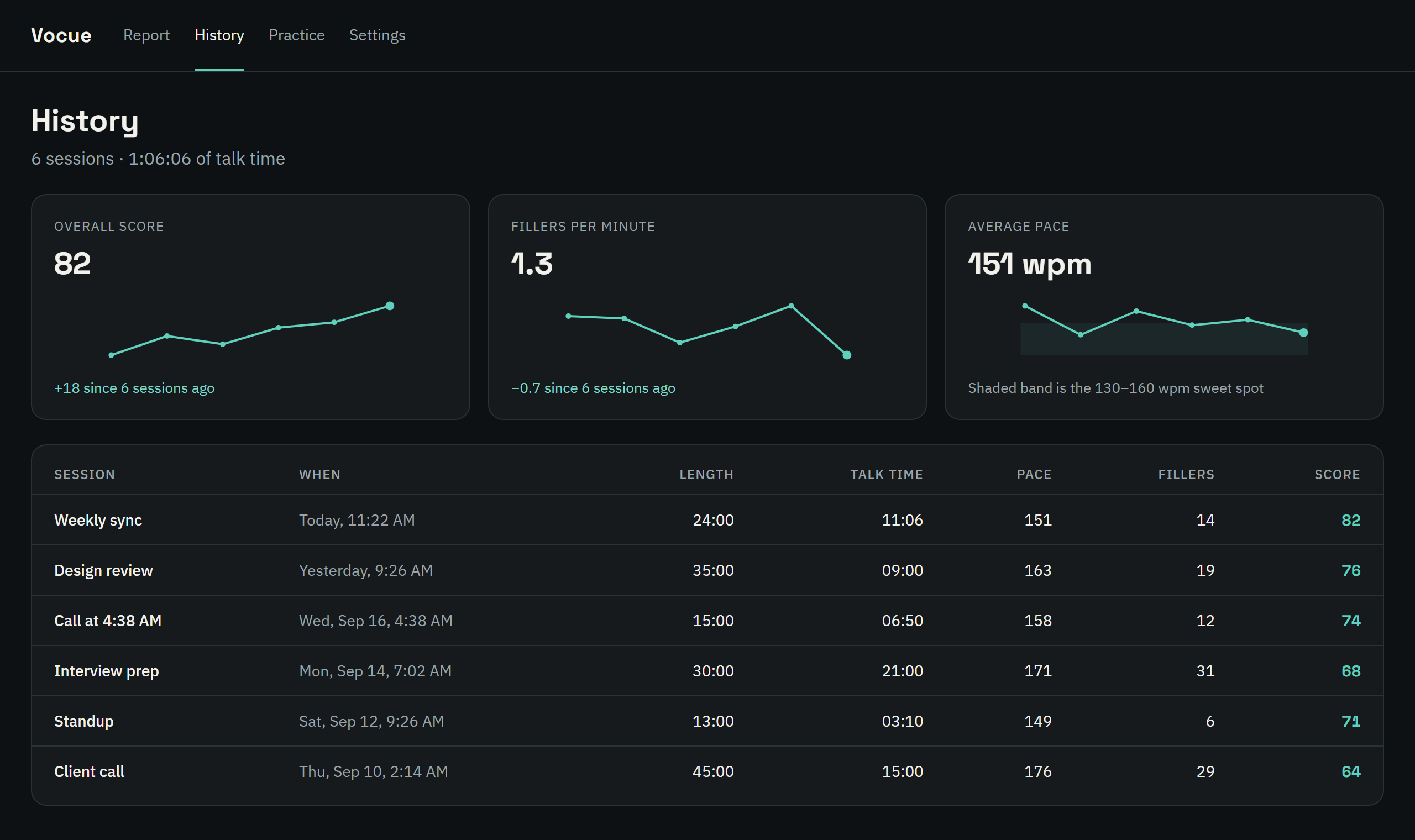
See yourself get better
Your score, fillers per minute and pace across every session, so you know the practice is working.
Your recordings stay on your computer
Recordings and reports are saved only on your device and deleted automatically. The overlay hides itself when you share your screen, so your scores are never part of the meeting. Audio is streamed to our transcription provider to produce your transcript, and isn't kept or used to train models.
- Recordings saved only on your device
- Auto-delete after 7 or 30 days
- Hidden while screen sharing
- Delete everything in one click
Running in under a minute
Install and sign in
Just your email — we send a 6-digit code. No meeting integrations to authorize.
Join any call
Zoom, Teams, Meet, or a phone call on speaker — it all works the same.
Speak, then review
Cues during the call, a short report when you hang up.
Simple pricing
Free
- 60 minutes of live coaching a month
- Reports, playback and history
- 3 practice-mode reviews a month
- Hidden from screen sharing
Pro
- 600 minutes (10 hours) of live coaching a month
- 60 practice-mode reviews a month
- Everything in Free
- Cancel anytime
Prices in Canadian dollars. Taxes may apply.
Questions
Does Vocue record the other people in my meeting?
Vocue listens to your microphone only, not the meeting's audio. If you use laptop speakers, your mic may pick up other voices — wear headphones for the cleanest coaching.
Can other people see the overlay?
No. The overlay is excluded from screen sharing and recordings in Zoom, Teams, Meet and other apps on Windows, so only you see it.
Where is my audio stored?
Recordings and reports are saved on your computer only, and deleted automatically after the period you choose. To produce the live transcript, audio is streamed to our speech-to-text provider, which processes it and doesn't keep it. Practice-mode transcripts are sent to our AI provider to write your questions and feedback. Details are in the privacy policy.
Which meeting apps does it work with?
All of them. Vocue doesn't connect to any meeting app — it listens to your mic, so it works with Zoom, Teams, Meet, Webex, Slack huddles and phone calls on speaker.
What counts toward my minutes?
Time spent listening, in the overlay or practice mode. Paused time doesn't count. Free minutes reset on the 1st of each month; Pro minutes reset on your billing date.
How do I cancel?
Settings → Account → Manage billing. You keep Pro until the end of the period you paid for.